Examples
Every example lives in the repository's examples/ directory as a .tui, a .tcss, and sample data, most with a small Go host. Each picture is rendered from tuimark play on those files (the command is in its title bar), so you can reproduce it exactly. Screens that come in two palettes follow this site's light or dark mode.
tuimark play runs no host program, so these pictures show the sample data and what the built-in keys do. The apps' own actions, such as sending a request or moving a card, need the Go host.
The first nine examples move on their own, so their pictures are animations: each Go app has a -demo flag that replays a scripted session on a fake clock with a fixed seed and prints every frame, and the site turns those frames into an animated SVG. Use the button in the title bar to pause one; with reduced motion turned on in your system settings, they start paused.
To run them, clone the repository and build:
git clone https://github.com/abdul-hamid-achik/tuimark
cd tuimark
go build -o bin/tuimark ./cmd/tuimark
go build -o bin/monitor ./examples/monitor
./bin/monitor
snake
examples/snake is a playable Snake. The game loop is an Every tick whose interval is the snake's speed: each food raises the level, and the tick re-arms itself faster. -autopilot (or A while playing) hands the wheel to a small search that steers to the food.
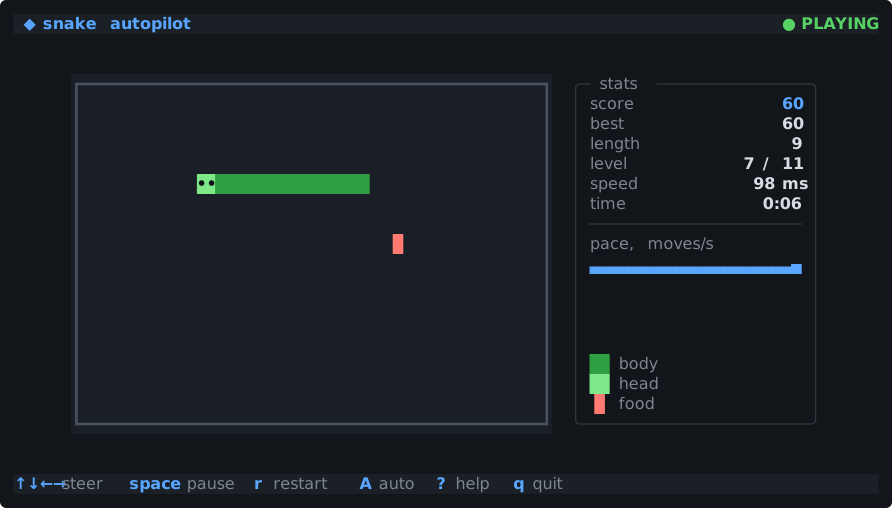
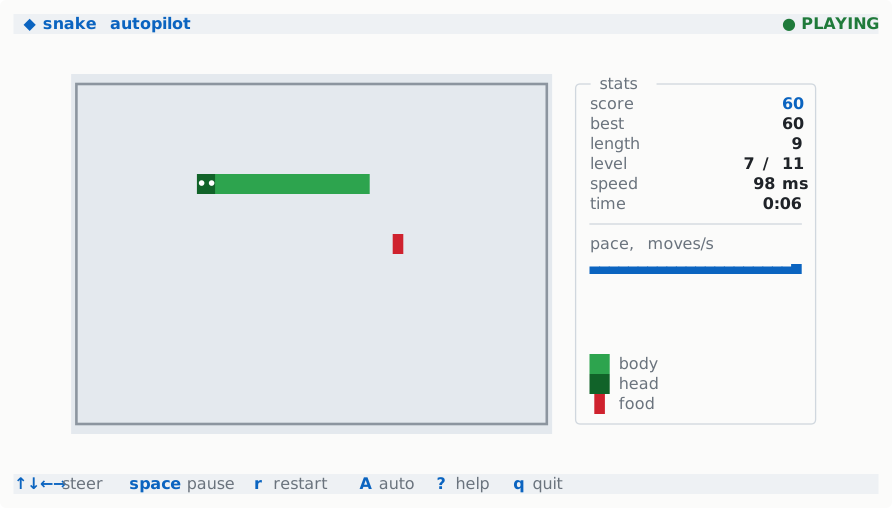
each: one row per board line, one text per run of same-kind cells, colored by class: guards. Nothing on the screen takes focus, so the arrow keys reach the keymap. go build -o bin/snake ./examples/snake
./bin/snake # arrows, hjkl or wasd steer; space pauses
./bin/snake -autopilot # watch it playchess
examples/chess is chess with a real engine behind it. Move generation is checked against the published perft counts, moves go in by mouse, by cursor, or typed as SAN or UCI, and games load and save as FEN and PGN. The engine is a small alpha-beta search with six levels; it thinks in a goroutine and hands its move back through Batch, so the board never freezes while it searches. You can play it, give it a friend's seat, let it play itself, or step through a game in review.
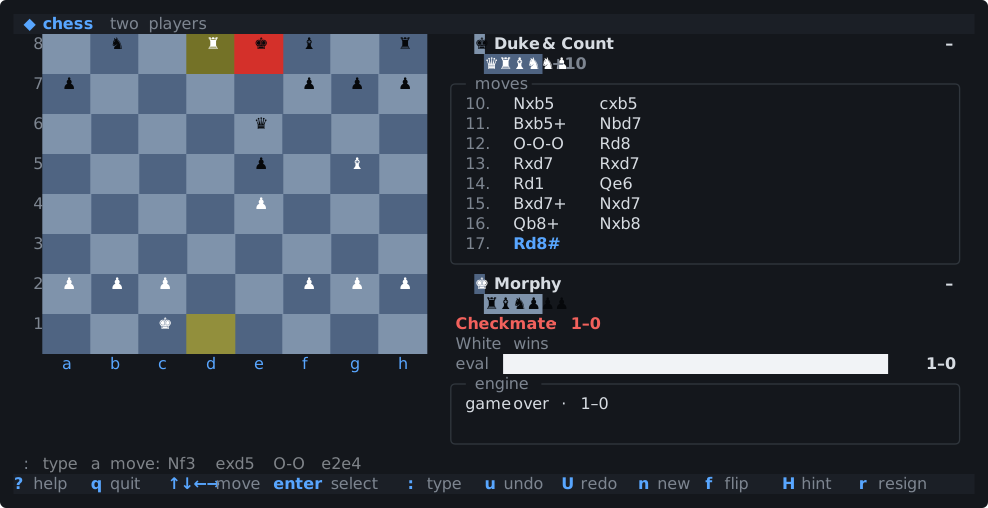
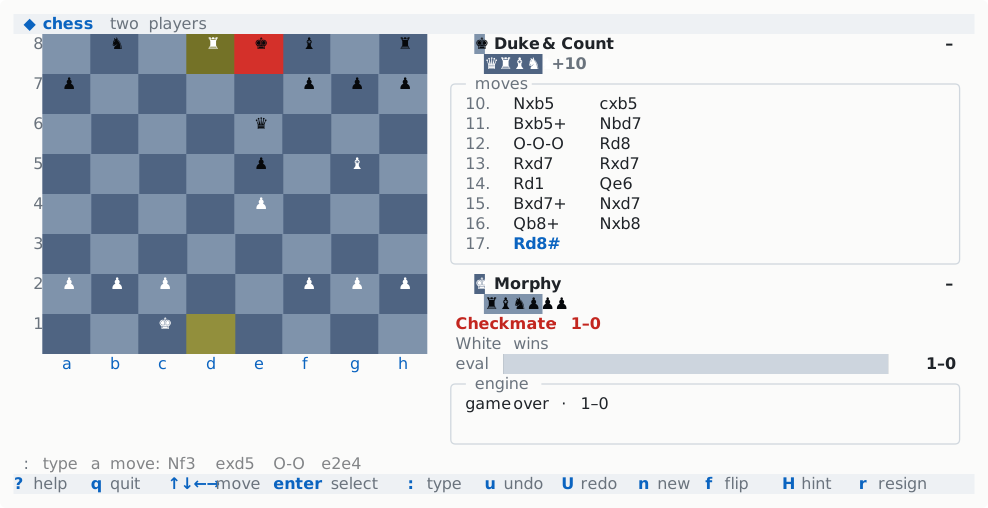
class: guards on them. go build -o bin/chess ./examples/chess
./bin/chess # you play White against level 3
./bin/chess -mode 2p -clock 5+0 # two players, five minutes each
./bin/chess -pgn game.pgn # step through a gametetris
examples/tetris is a falling-blocks game with the modern rules: SRS rotation with wall kicks, a 7-bag, a hold slot, a ghost piece, lock delay, T-spins, and combos. One fixed Every tick drives gravity, the lock delay, and the line-clear flash on a game clock, so a level change takes effect on the next tick. a hands the game to an autopilot that weighs every placement.
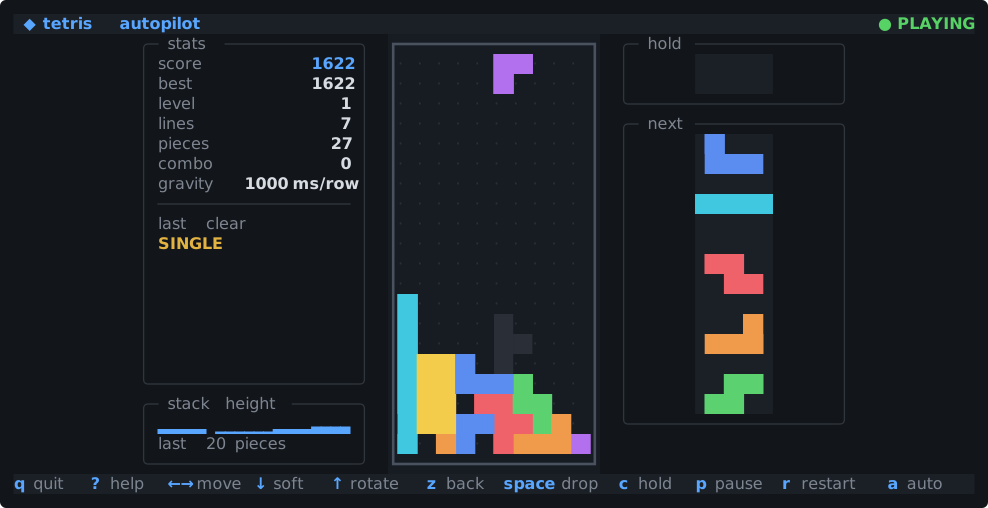
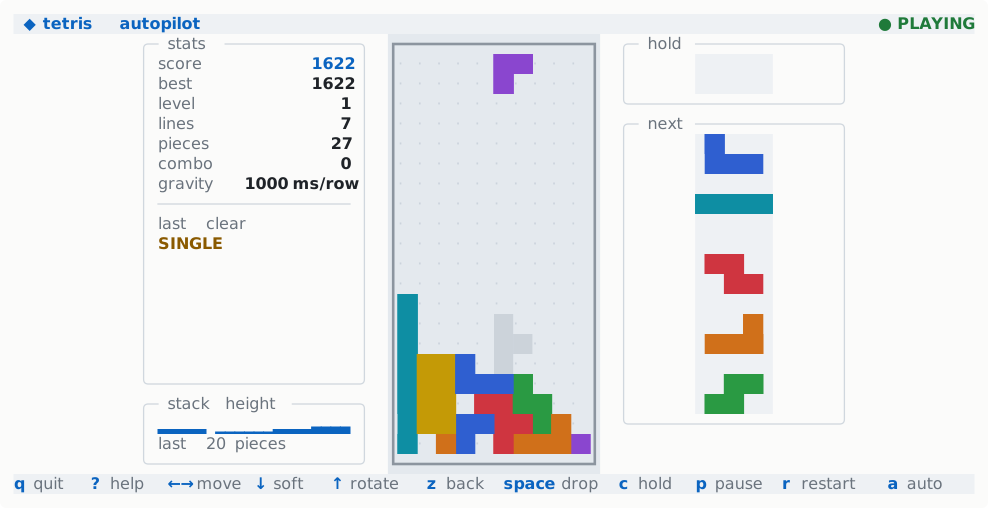
each runs of same-kind cells, colored by class: guards. go build -o bin/tetris ./examples/tetris
./bin/tetris # arrows or hjkl move, space drops, x/z rotate, c holds
./bin/tetris -autopilot # watch it playminesweeper
examples/minesweeper is Minesweeper on the three classic boards or a custom one. The first reveal always opens a region, a revealed number chords its neighbors, and f switches the left click to flagging, since only the left button reaches the document. The 480 cells of the largest board are static elements generated into app.tui, so a click names its cell, and if shows the ones the current board uses.
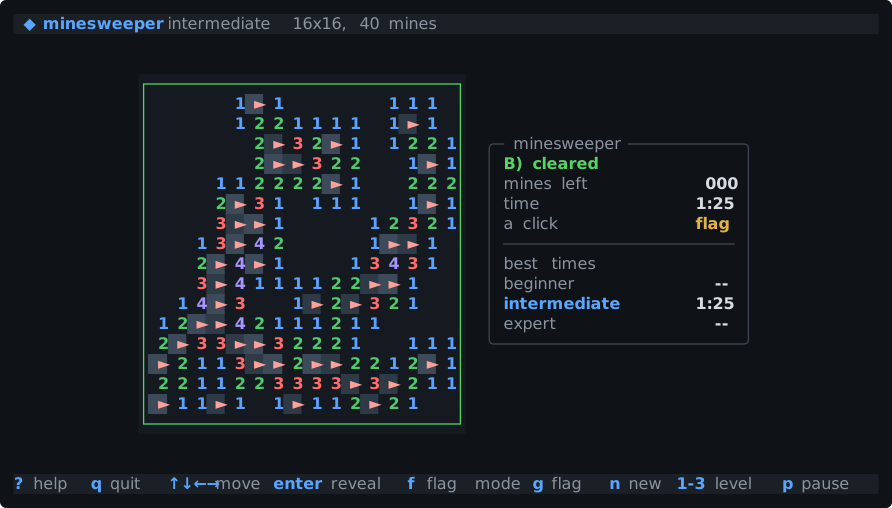
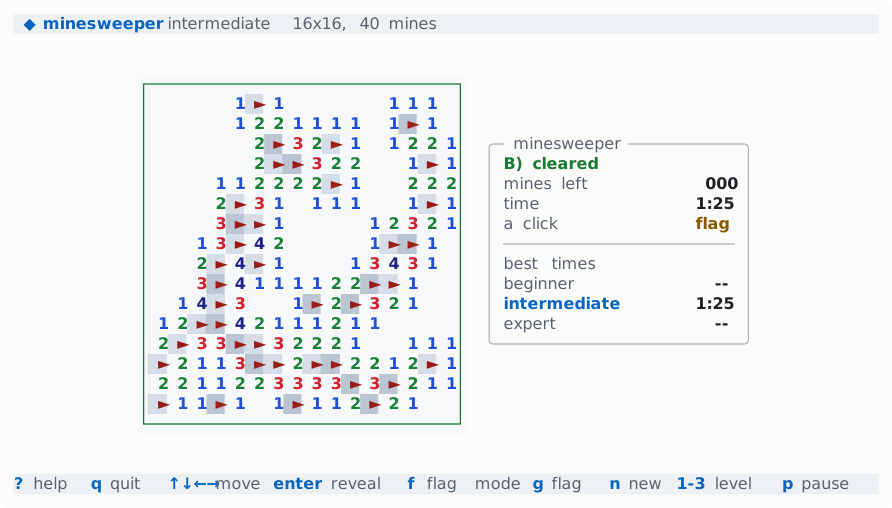
go build -o bin/minesweeper ./examples/minesweeper
./bin/minesweeper                       # beginner; 1, 2, 3 switch boards
./bin/minesweeper -level expert
./bin/minesweeper -cols 20 -rows 12 -mines 30
sudoku
examples/sudoku generates puzzles with exactly one solution and grades them by the techniques they need, from singles to X-wings. It has notes, hints, a check, undo and redo, and a number pad you can click. The notes of the cell under the cursor show as a 3×3 grid in the side panel, since a one-row cell has no room for them.
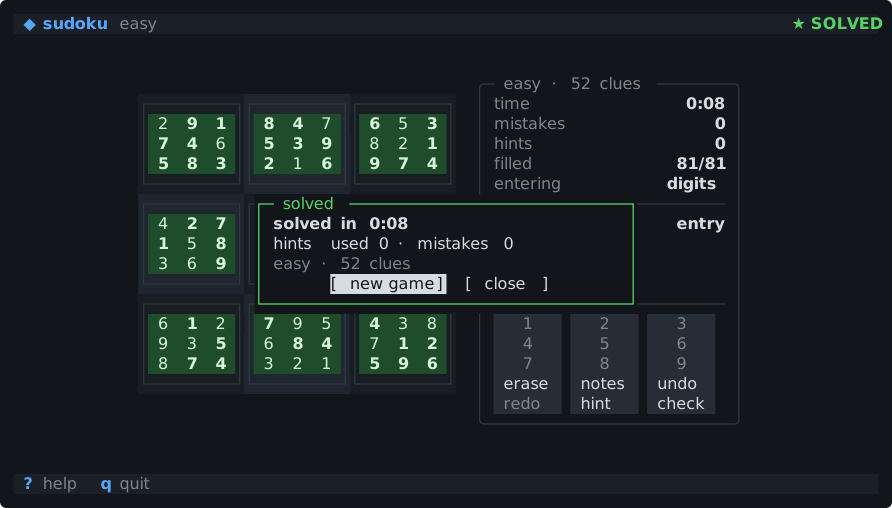
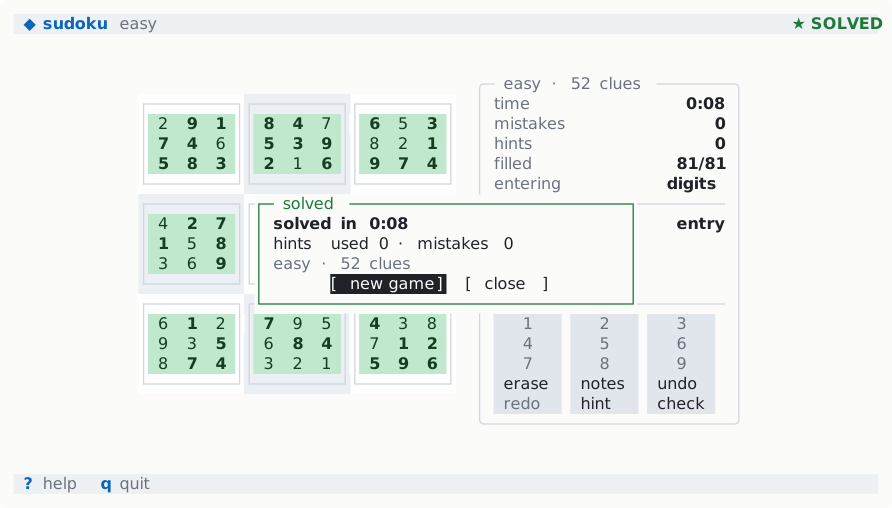
class: guards computed by Derive. go build -o bin/sudoku ./examples/sudoku
./bin/sudoku -difficulty hard
./bin/sudoku -puzzle 53..7....6..195....98....6.8...6...34..8.3..17...2...6.6....28....419..5....8..792048
examples/2048 is the sliding-tiles game on a 3×3 to 6×6 board, with undo, a win dialog that lets you keep going, and an autopilot that searches a couple of moves ahead. Merged tiles pop and the new tile lights up for a moment: the move sets the highlight, and an Every tick clears it.
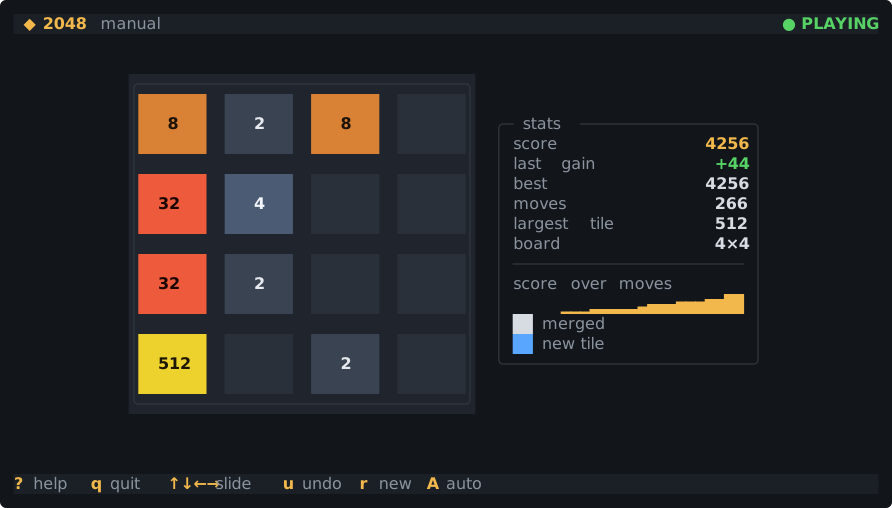
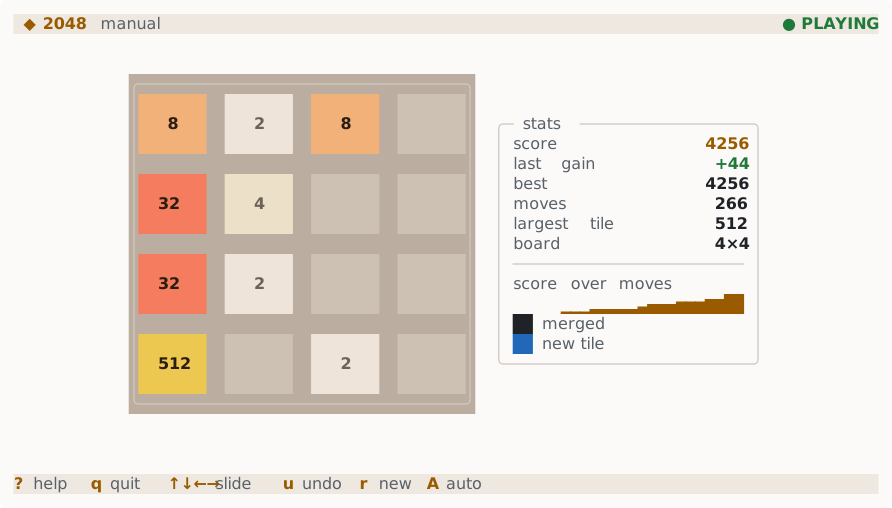
go build -o bin/2048 ./examples/2048
./bin/2048                       # arrows, hjkl or wasd slide; u undoes
./bin/2048 -size 5 -autopilot
pipeline
examples/pipeline is a CI run in the terminal: stages of parallel jobs with spinners, progress bars and timers, and the selected job's log streaming into a <scroll stick="bottom">. A flaky test fails on the first run; r retries it and the later stages go on.
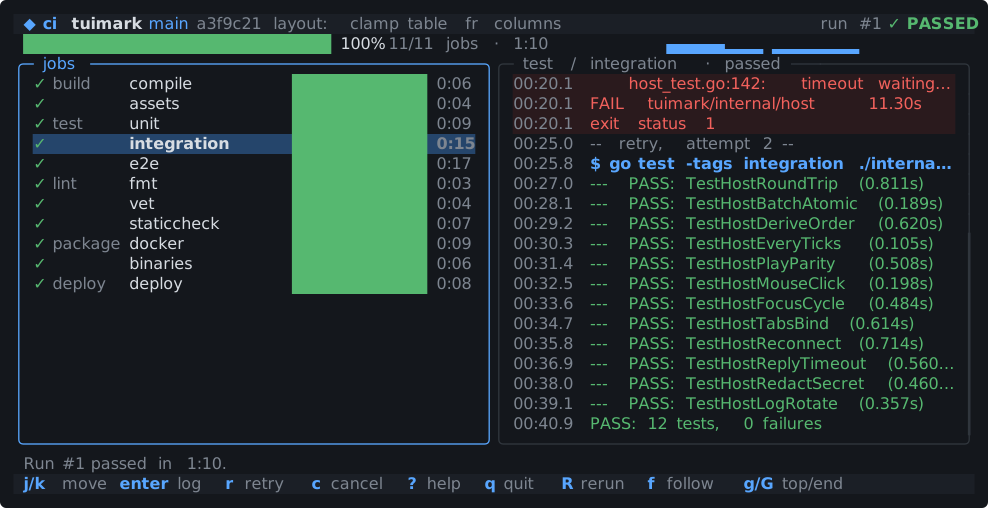
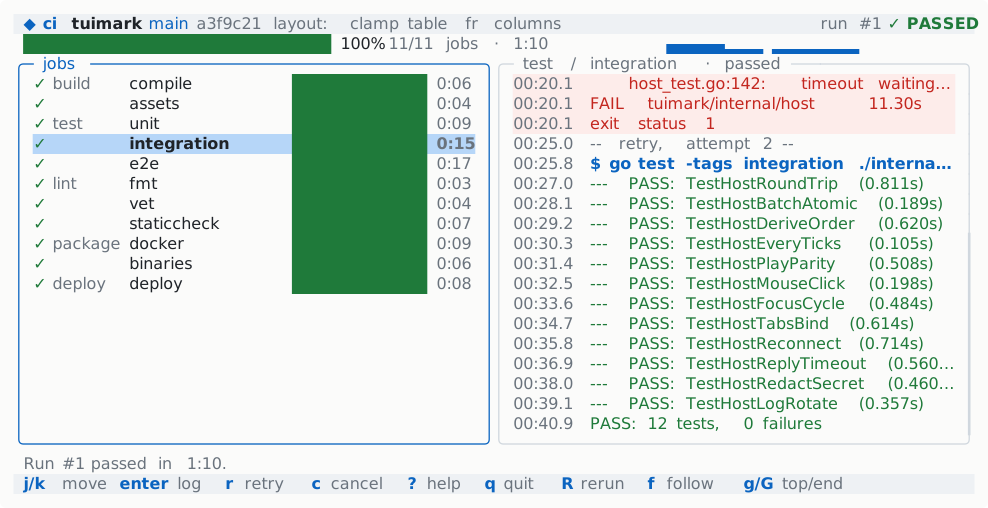
r, and every stage passing. The spinner frame, the bars, and the counts are Derived from one simulation clock that a tick advances. go build -o bin/pipeline ./examples/pipeline
./bin/pipeline # j/k pick a job, r retries, R reruns, c cancels
./bin/pipeline -speed 8 # simulated seconds per real secondmusic
examples/music is a music player with no audio: a library table with a filter, a queue, albums, and a now-playing panel whose spectrum visualizer is a six-row <sparkline> the tick feeds.
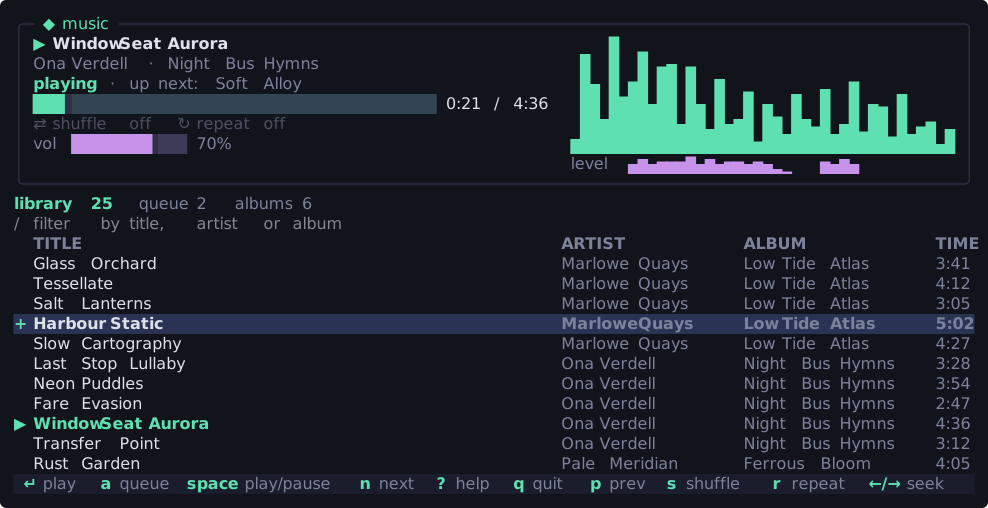
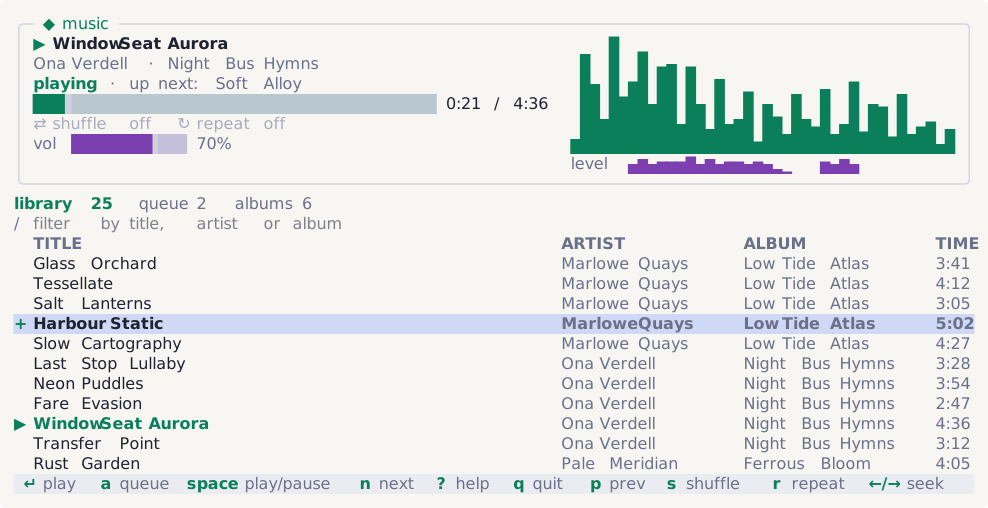
n to the queued track, then space to pause, which lets the bars fall to rest. The position and volume bars use bar: eighths, and the tab labels carry live counts (label="queue {counts.queue}"). go build -o bin/music ./examples/music
./bin/music # space plays and pauses, n/p skip, a queues
./bin/music -speed 8 # run the playback clock fasterpomodoro
examples/pomodoro is a Pomodoro timer and a clock in big block digits. The digits are one derived string per frame shown in a <text> (the blinking colon is drawn into that string), and the phase colors and the pulse of the last ten seconds are class: guards on values the tick computes.
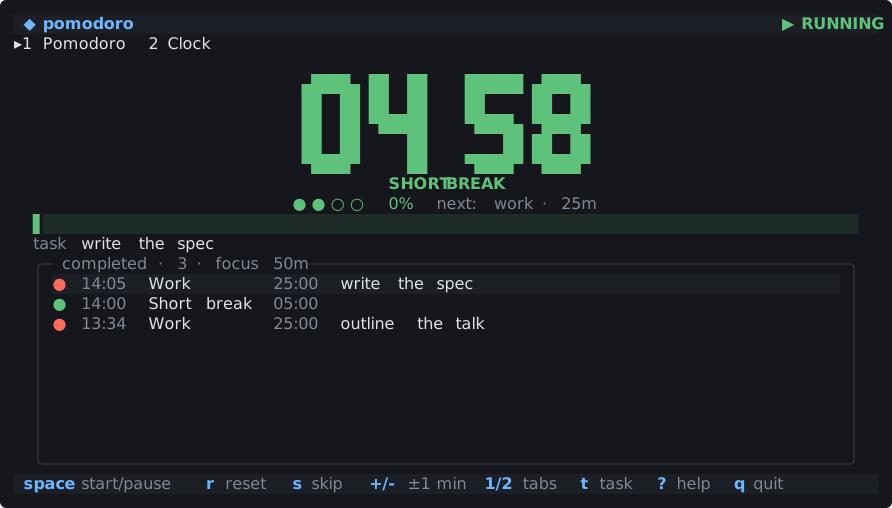
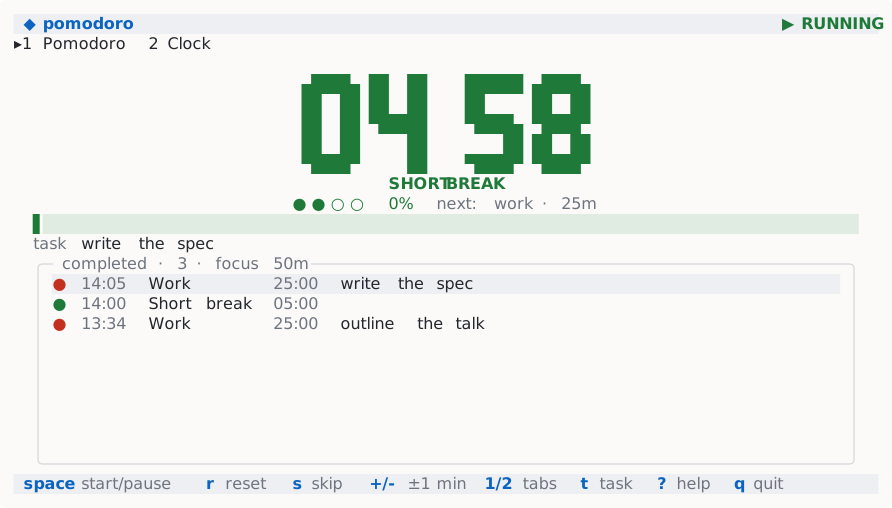
<column priority>. go build -o bin/pomodoro ./examples/pomodoro
./bin/pomodoro -start # space starts and pauses, s skips, 2 shows the clock
./bin/pomodoro -work 50m -short 10mmonitor studio
examples/monitor is a system monitor's studio view, and the showcase for everything version="2" adds: nine tabs, a panel grid with gauges and sparklines, a scrolling grid of per-core bars, a process table with sortable columns and multi-select, a filter input, kill confirmations, a detail modal, settings that switch the mouse and the theme, and a hint bar built from the keymap. theme="auto" picks its palette from the terminal.
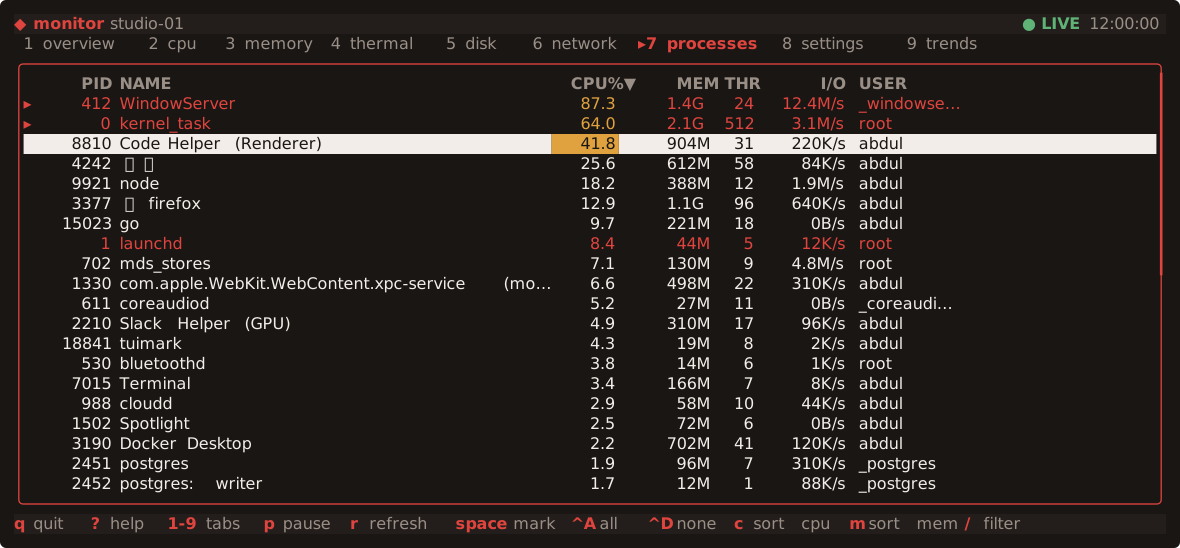
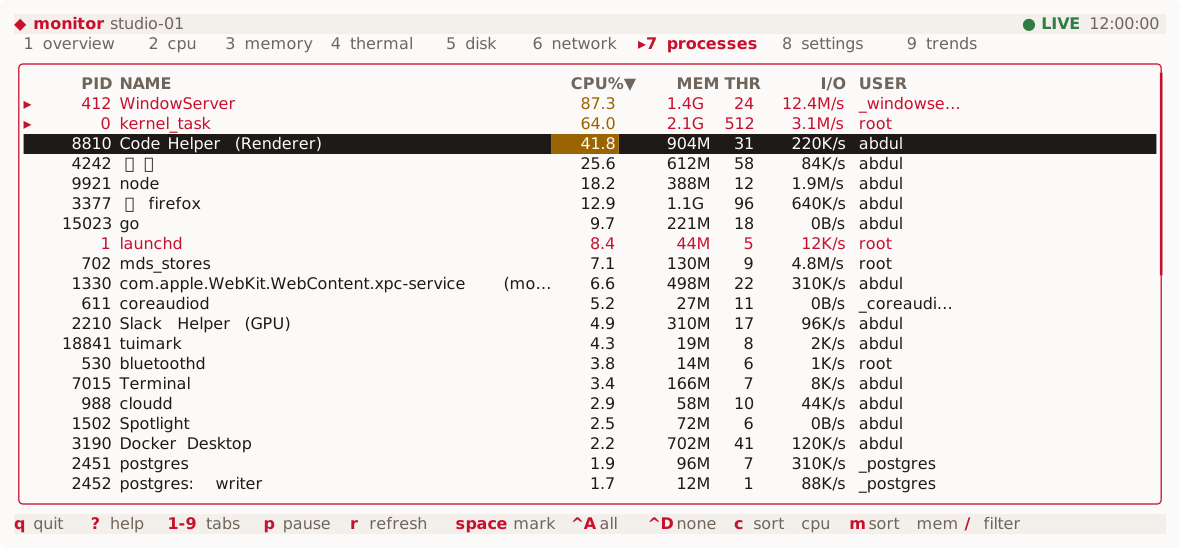
space down space down: two rows marked with ▸ (check-toggle), protected processes in red through a row class:blocked guard, hot CPU cells through a cell guard, and a scrollbar on the table's border. 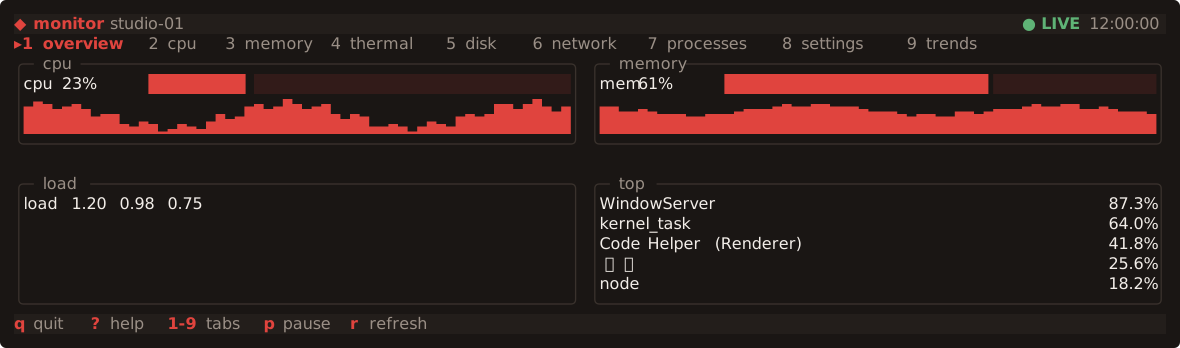
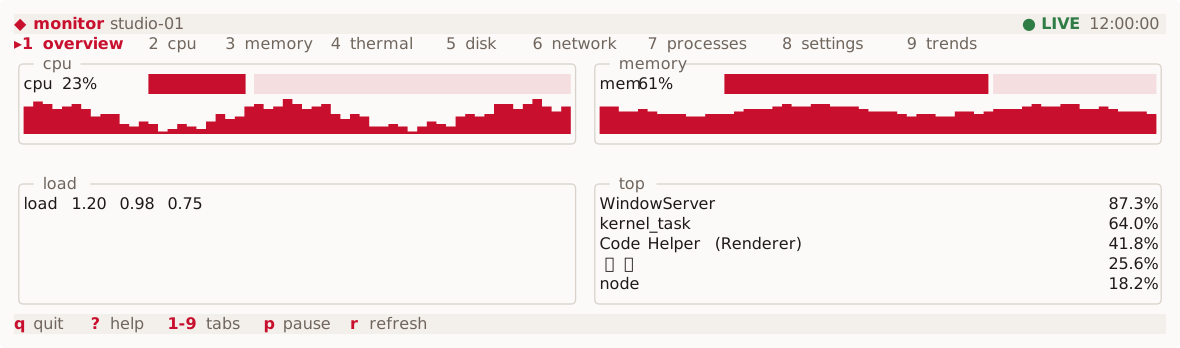
layout: grid with grid-min-width places the panels in two columns here and one on a narrow terminal. Gauges use bar: eighths. 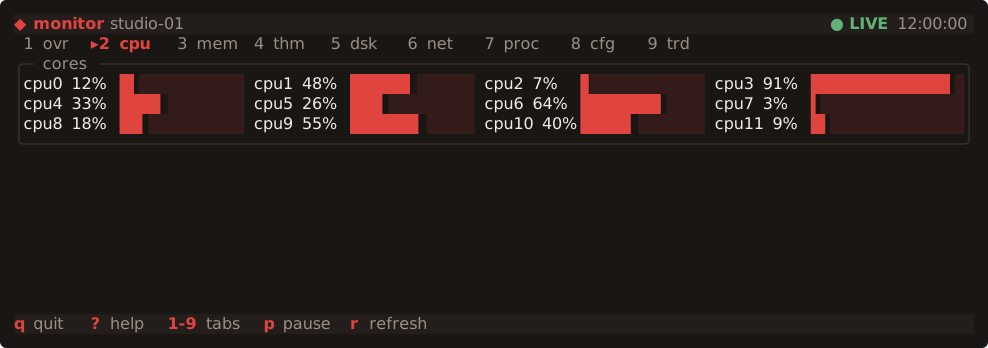
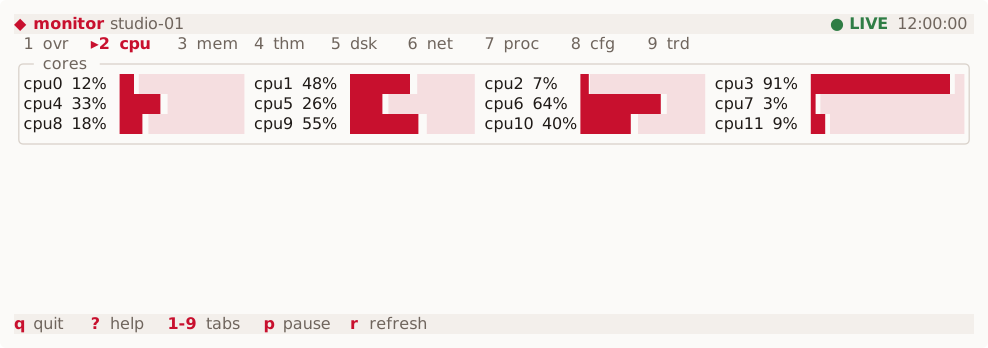
scroll with scrollbar: auto, four per row at this width. 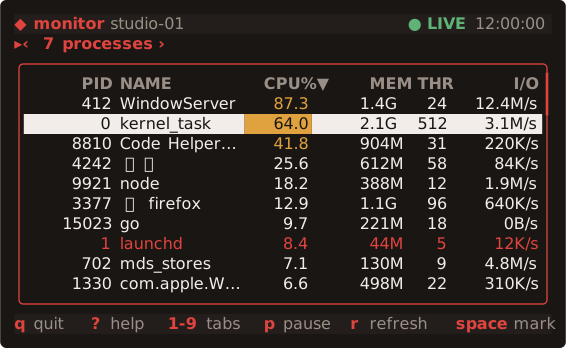
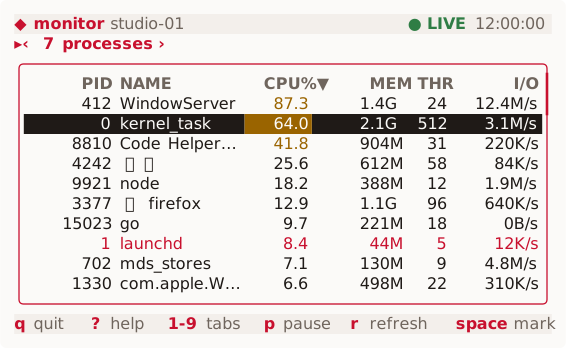
short form, so the strip shows only the active tab as ‹ 7 processes ›; @media rules hide the four table columns that no longer fit, and the hint bar drops the hints it has no room for. The Go host has no layout, width, padding, truncation, or column code. It runs a seeded fake collector and handles the named actions: sorting (the sort arrow in the header is data), filtering, kill and force kill, the pinned detail, and the settings.
./bin/monitor                    # run it
./bin/monitor --theme light      # Set("@theme", "light") before Run
./bin/monitor --dump 120x30      # print Dump() as JSON instead
logs
examples/logs is a live log viewer, like tail -f: lines stream in, colored by level, and the view follows the end until you scroll up to read. A filter input and the 1-4 level toggles narrow what is shown, and a sparkline tracks lines per second.
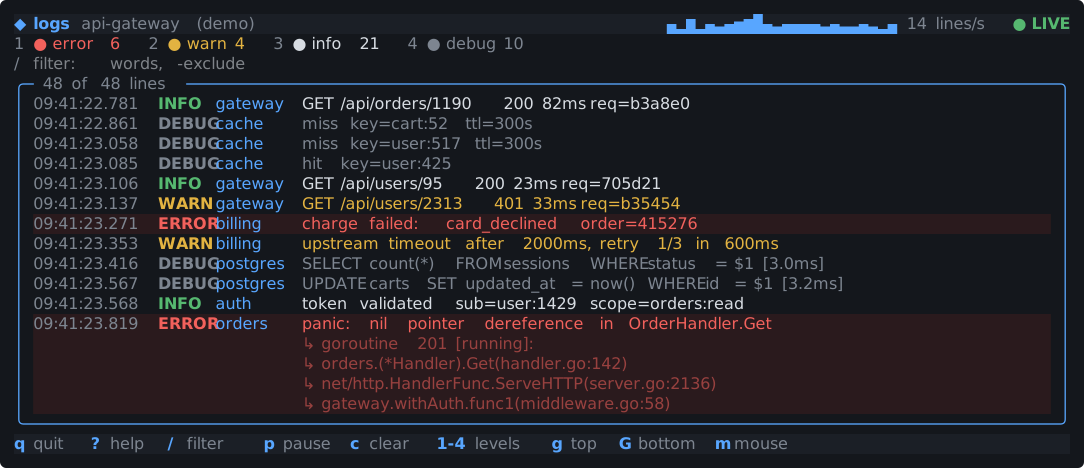
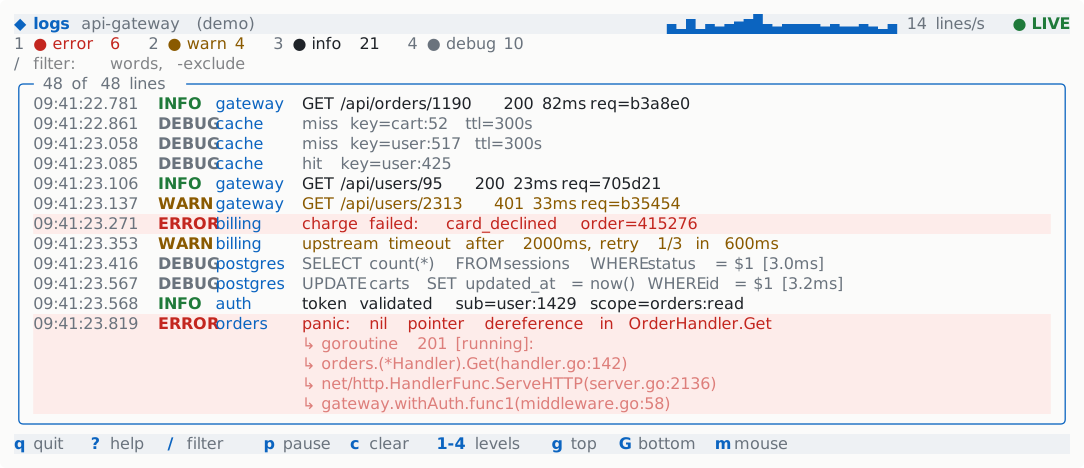
<scroll stick="bottom">: it keeps showing the newest line as the content grows, and stops following while you read further up. Levels are colored with class: guards on each line. The host streams lines with Every, which appends them in one Batch per tick, and Derive keeps the filtered lines and the counts, so the markup has no expressions. -follow FILE tails a real file instead of the built-in generator.
go build -o bin/logs ./examples/logs
./bin/logs                       # a seeded fake API service
./bin/logs -follow app.log       # tail a real file
tasks
examples/tasks is a kanban board: three lanes of cards that you move, reorder, mark, create, edit, and delete from the keyboard, with a filter over every lane.
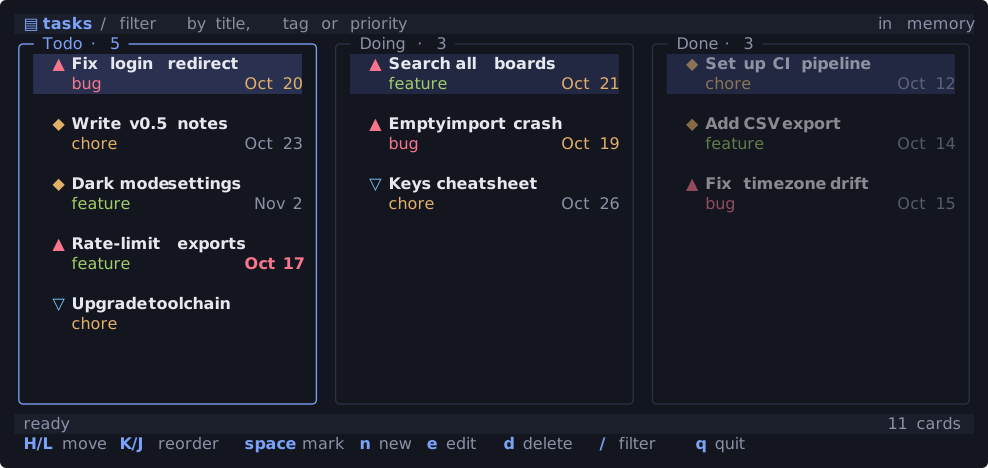
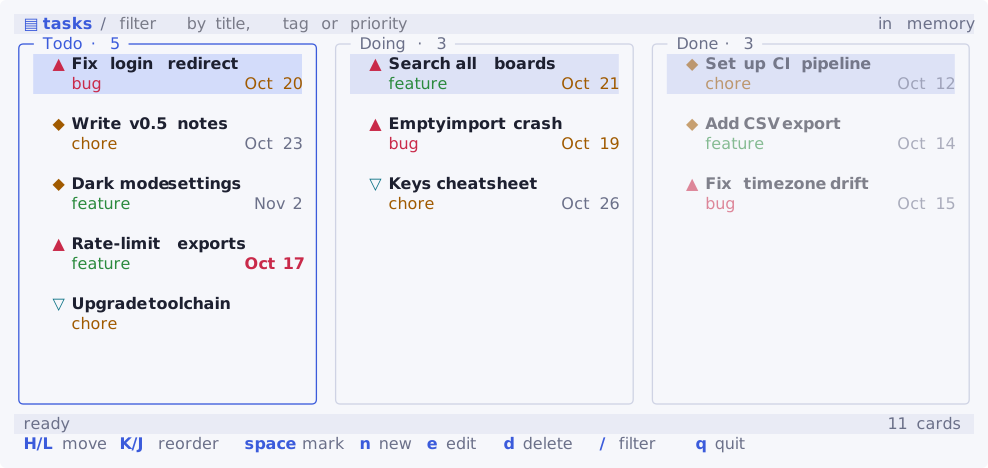
Derive computes from one cards array and the filter; the counts in the titles are bound too. 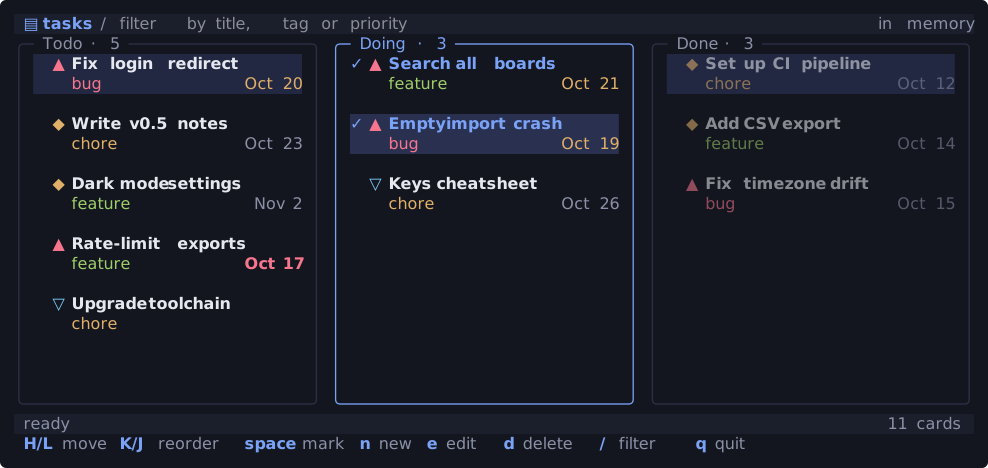
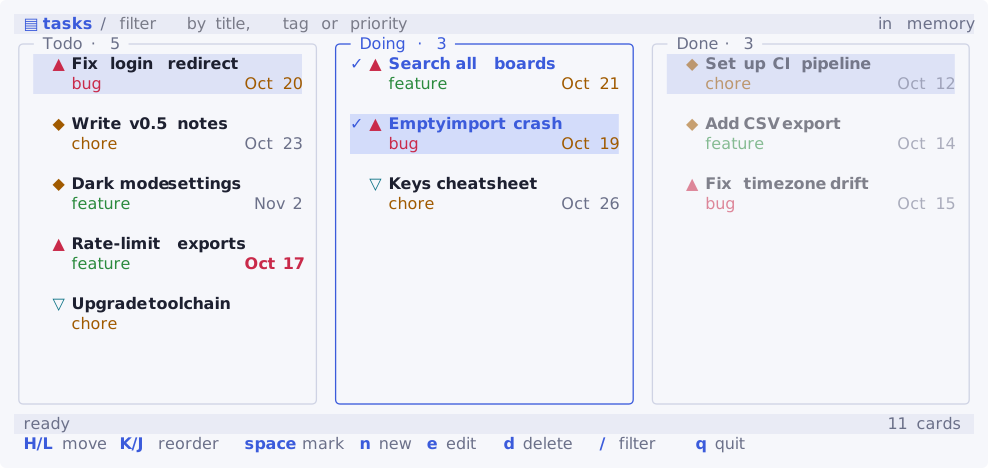
right space down space: focus moved to Doing and two cards are marked (checked with mark="✓"), ready to move together with H/L. New and edited cards go through a form modal; deleting asks first. -file board.json keeps the board in a file, and a failed save shows in the status line through RunWith's OnError.
go build -o bin/tasks ./examples/tasks
./bin/tasks -file board.json
gitui
examples/gitui is a small git client in the spirit of tig and lazygit: staged and unstaged files with a diff preview, the log with each commit's detail, and the branches with a checkout confirmation.
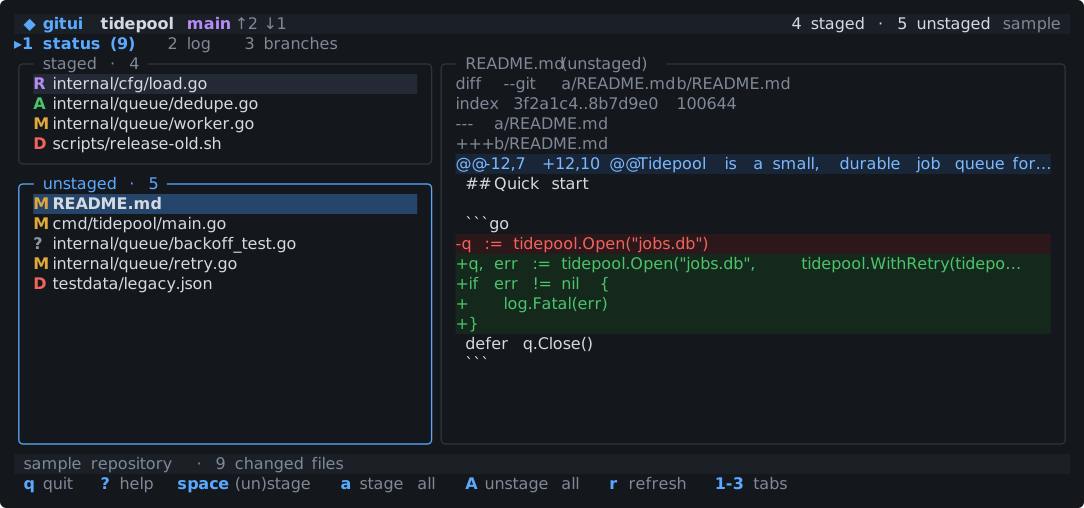
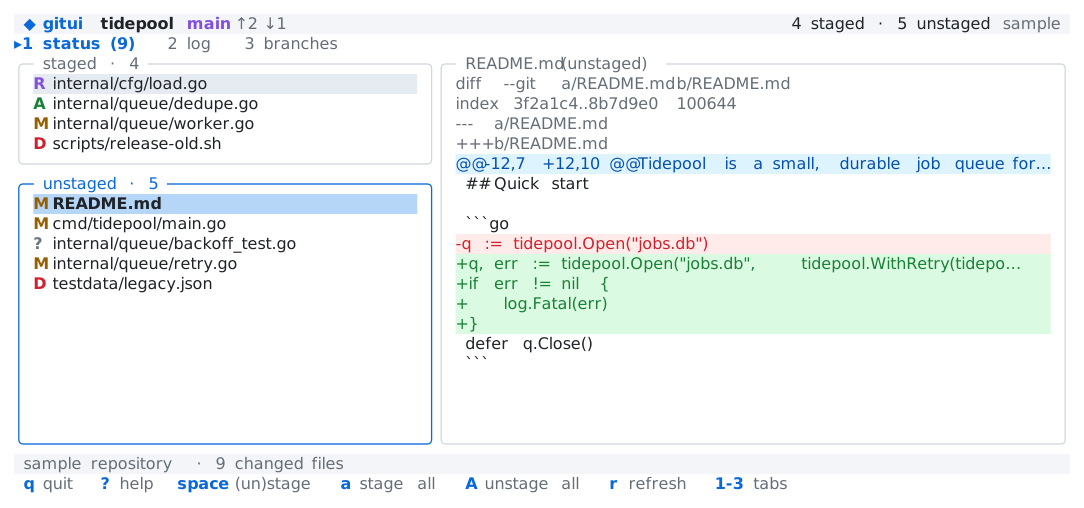
class: guards. 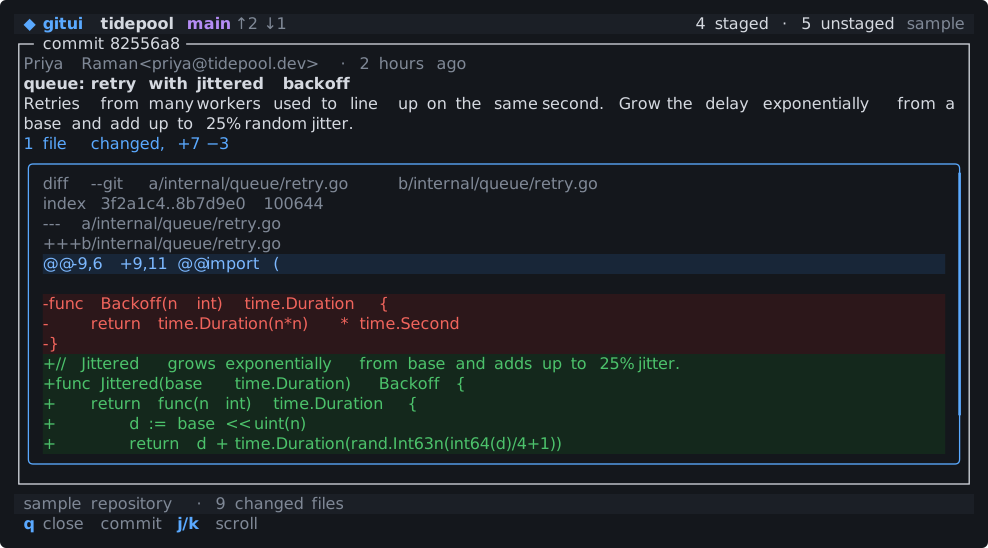
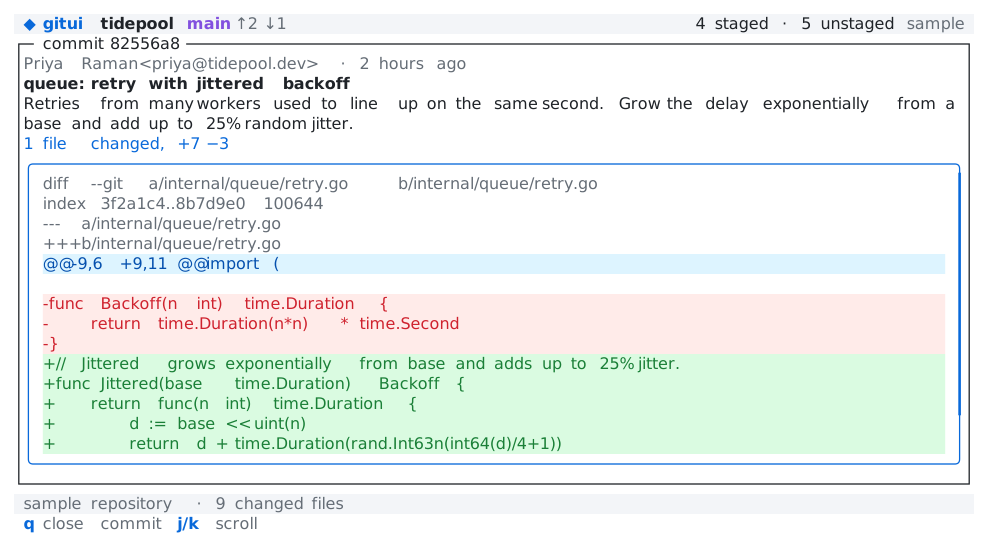
enter on a commit opens it through the Go host; tuimark play runs no host, so this picture sets the same flag with a set: step. The log is a table whose <column priority> values decide which columns go first on a narrow terminal, and each tab has its own keys through <keymap when>. By default it shows a sample repository; -repo PATH reads a real one with git, read-only unless you also pass -write.
go build -o bin/gitui ./examples/gitui
./bin/gitui                      # the sample repository
./bin/gitui -repo .              # this repository, read-only
http
examples/http is an HTTP API client, like Postman: a collection of saved requests, an editor for the method, URL, headers, and body, and the response with its status, timing, body, and headers.
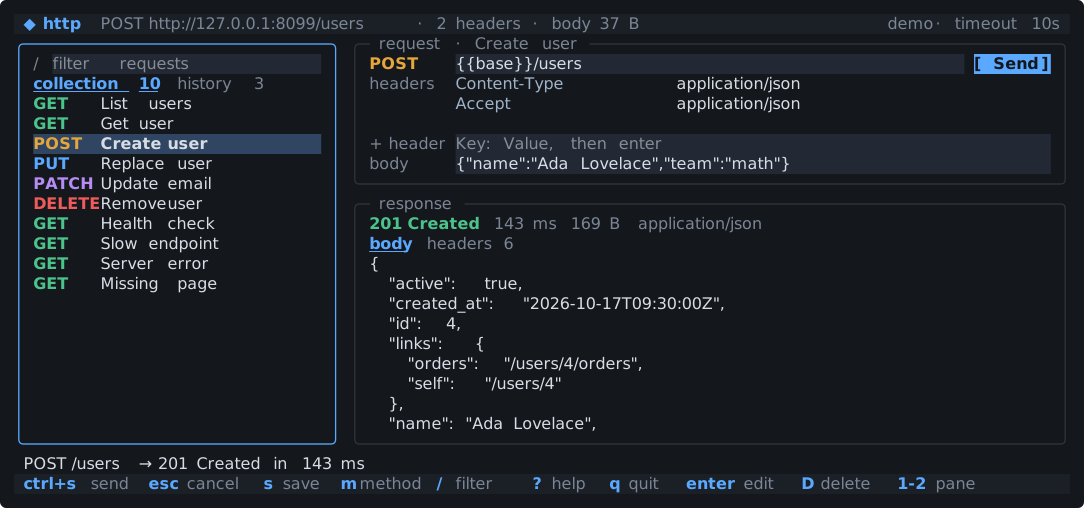
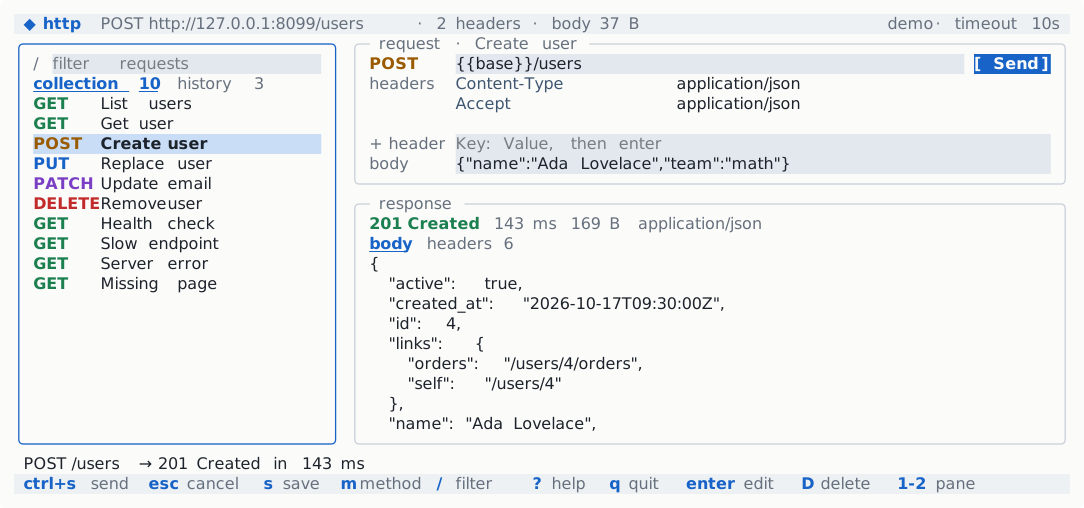
<scroll> of indented JSON, and the status line is colored by class. 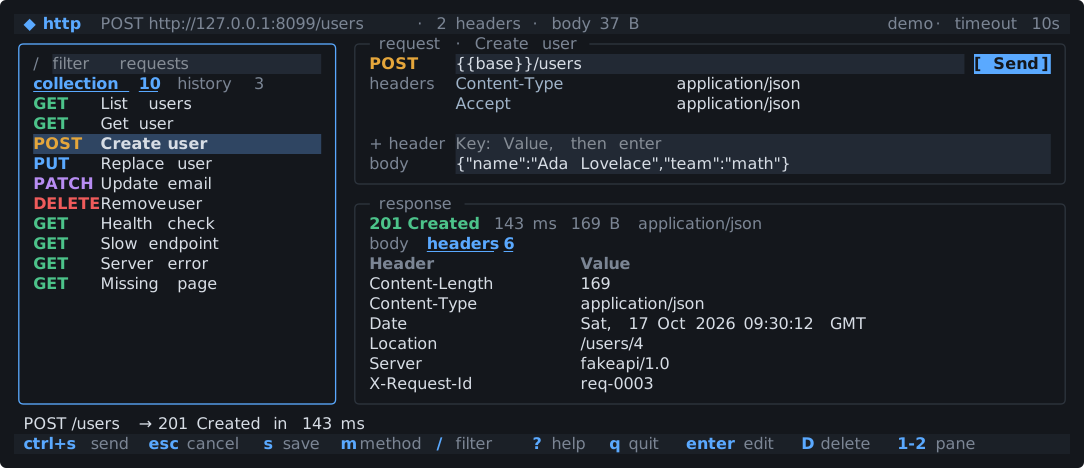
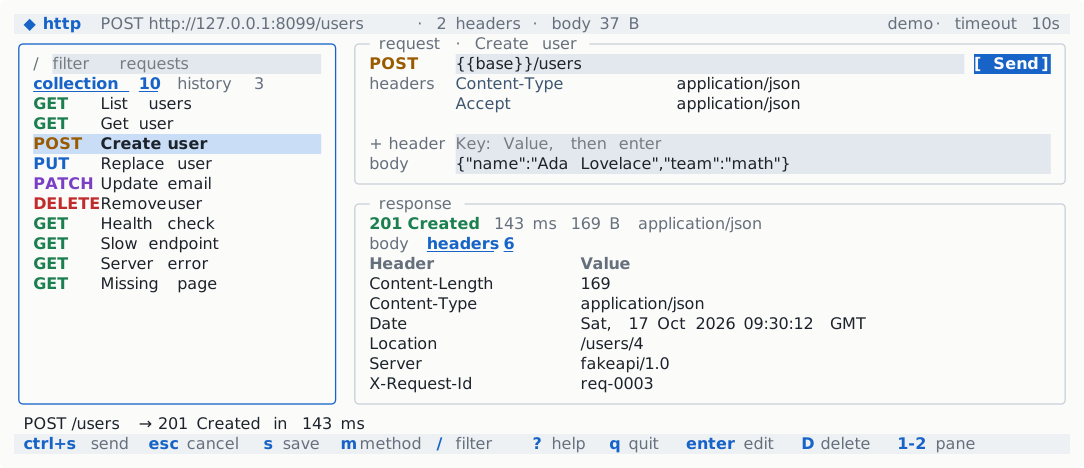
h: the response pane's Headers tab, a <table> of the response headers. Requests run in a goroutine and land with one Batch; while one is in flight, an Every tick animates the spinner and the elapsed time, and esc cancels it. Without -base, the collection targets a fake API the host serves in process, so it works offline.
go build -o bin/http ./examples/http
./bin/http                       # against the built-in fake API
./bin/http -base https://api.example.com
kit-gallery
examples/kit-gallery shows every component of the kit on five tabs: badges, buttons, alerts, cards, stats and progress; a form and a menu; a data table, a log panel and an empty state; a confirm dialog, a command palette, a help overlay and toasts; and a split pane.
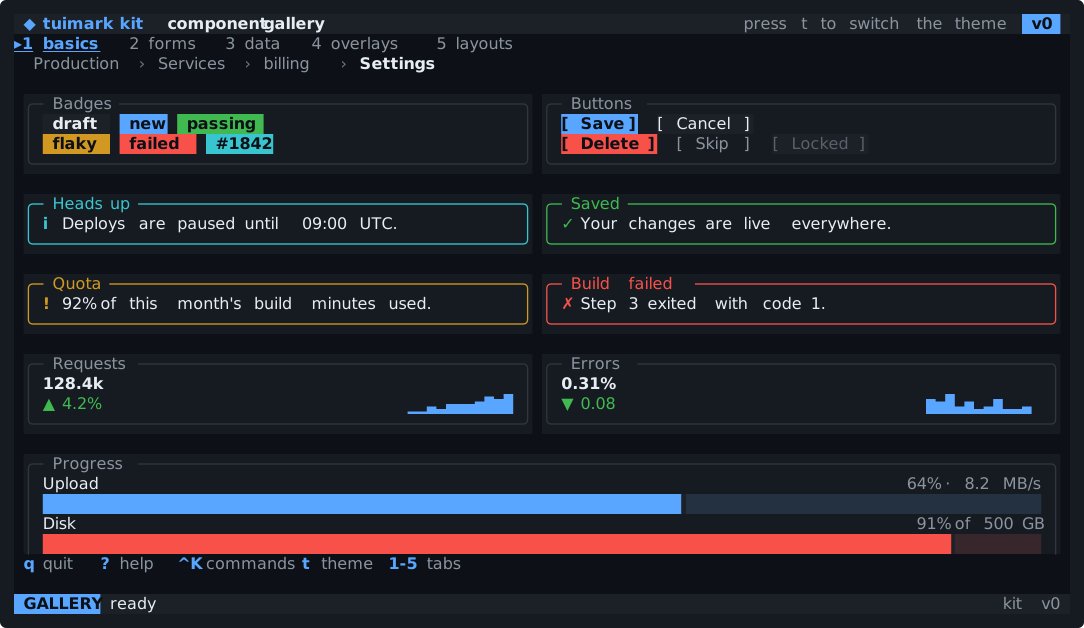
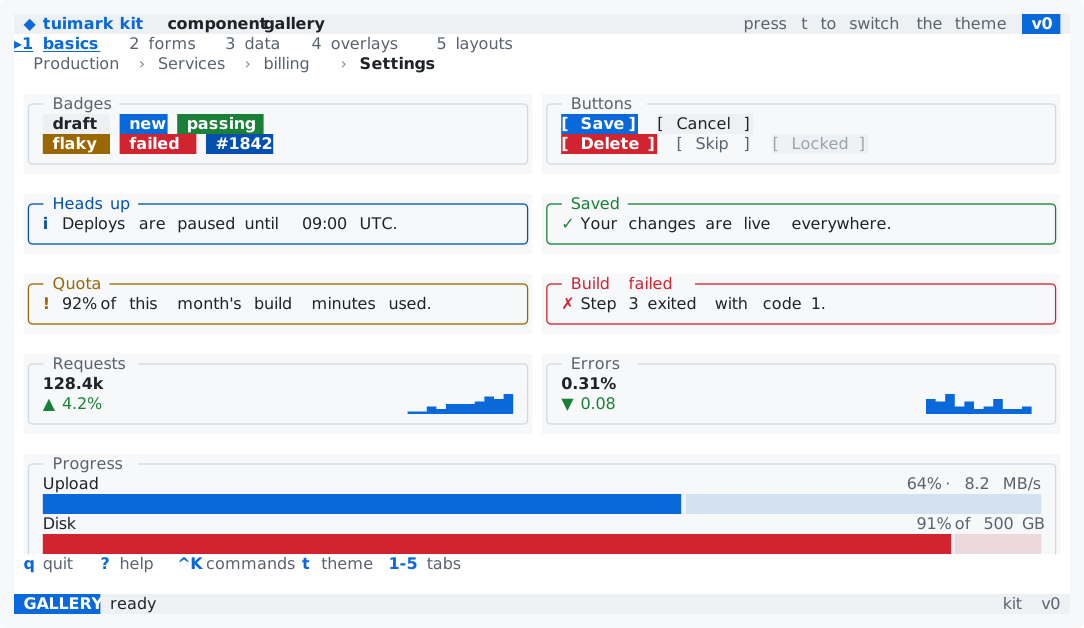
app.tcss. Every color is a token, so the same document follows the site's light or dark mode. 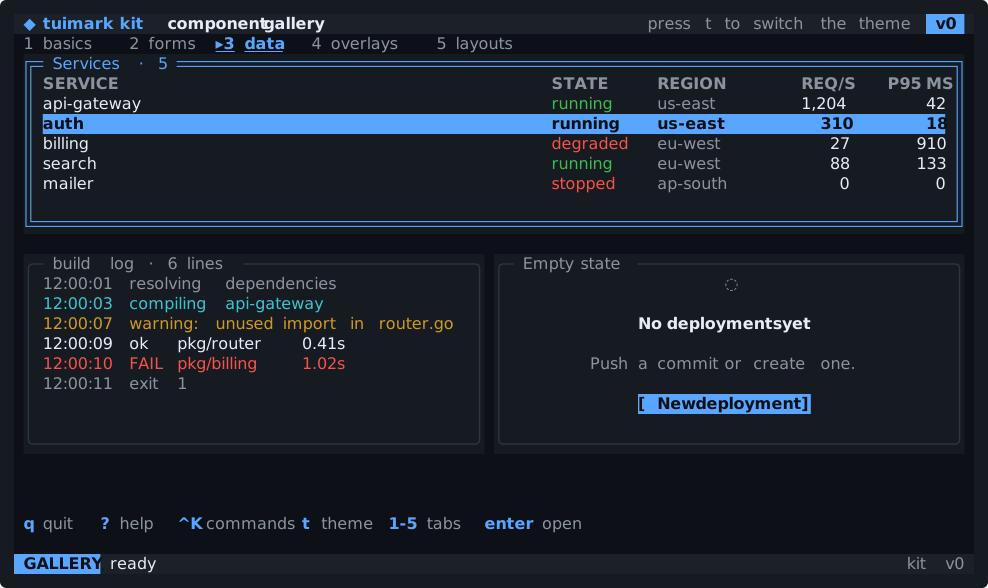
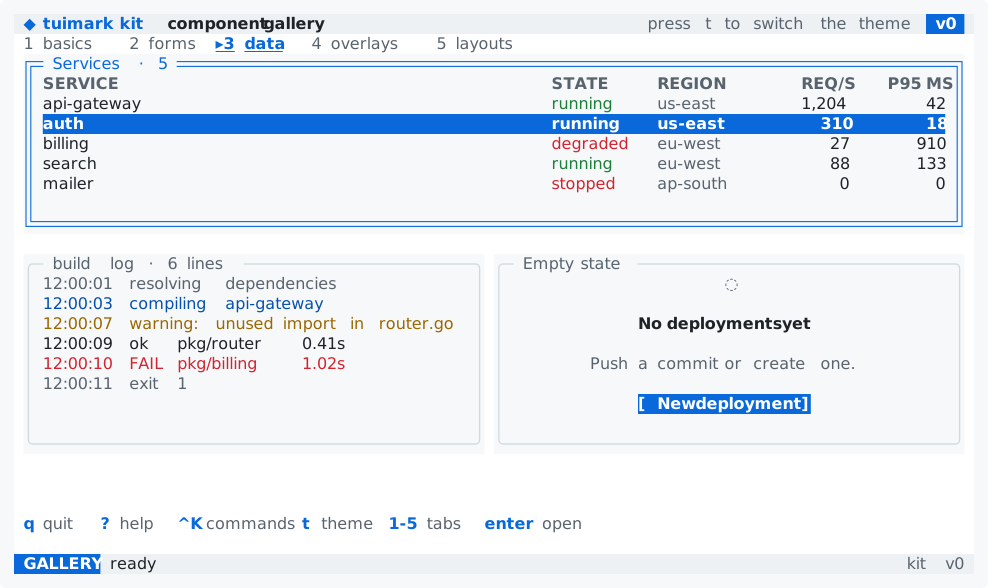
3 focus:#svc down: the cursor row of the focused table is a solid accent bar, and the log panel below follows its end. The kit's actions are generic (dialog_confirm, toast_show), and the Go host routes them by the prefix of the event's source before the last __. Derive filters the palette's commands and picks the split pane's detail, and an Every tick clears the toast.
go run ./examples/kit-gallery
go run ./examples/kit-gallery -theme light
tuimark run examples/kit-gallery/app.tui --data examples/kit-gallery/sample.json --mock examples/kit-gallery/mock.json
containers
examples/containers is a container-engine dashboard in the spirit of Docker Desktop or k9s, built only from the kit over a simulated engine (no Docker is touched). A filterable, sortable, multi-select table of containers with <column priority>; a detail pane with an overview card, a CPU and a memory sparkline, and nested tabs for the log (<scroll stick="bottom">), the environment and the ports; images, volumes, and an events log.
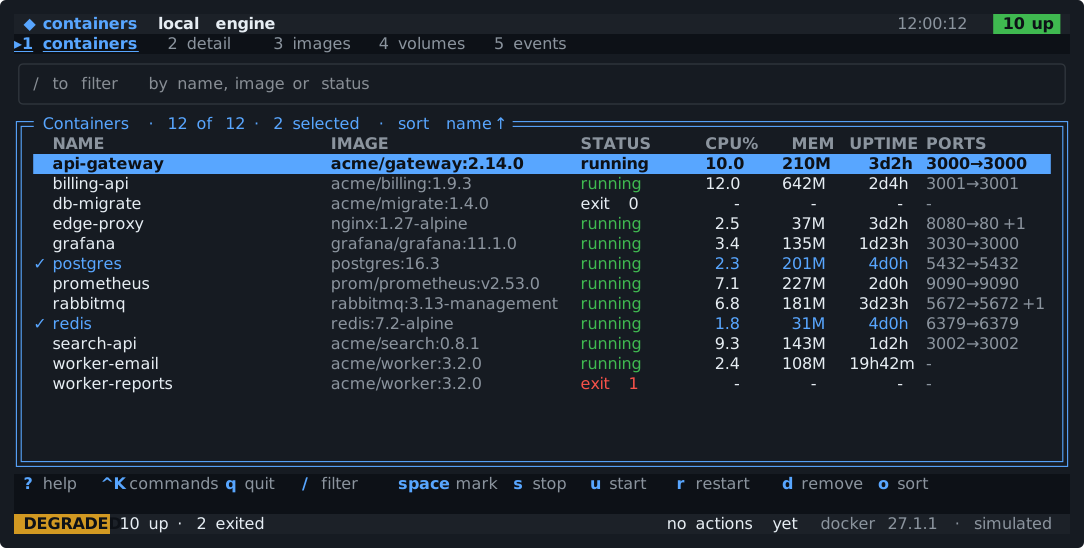
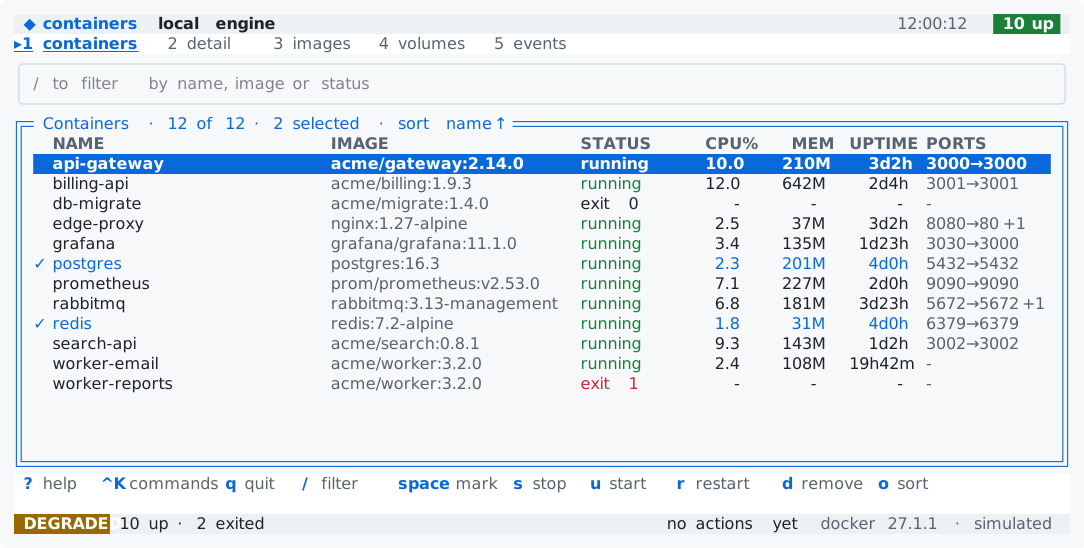
space), the sort in the table title, and the status bar showing the engine degraded because one container exited with a failure. 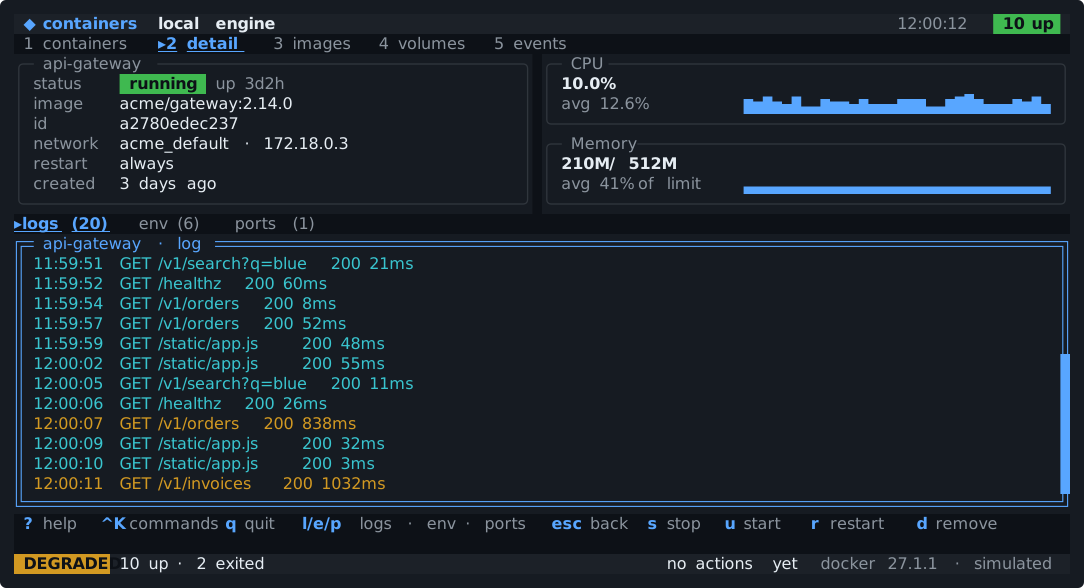
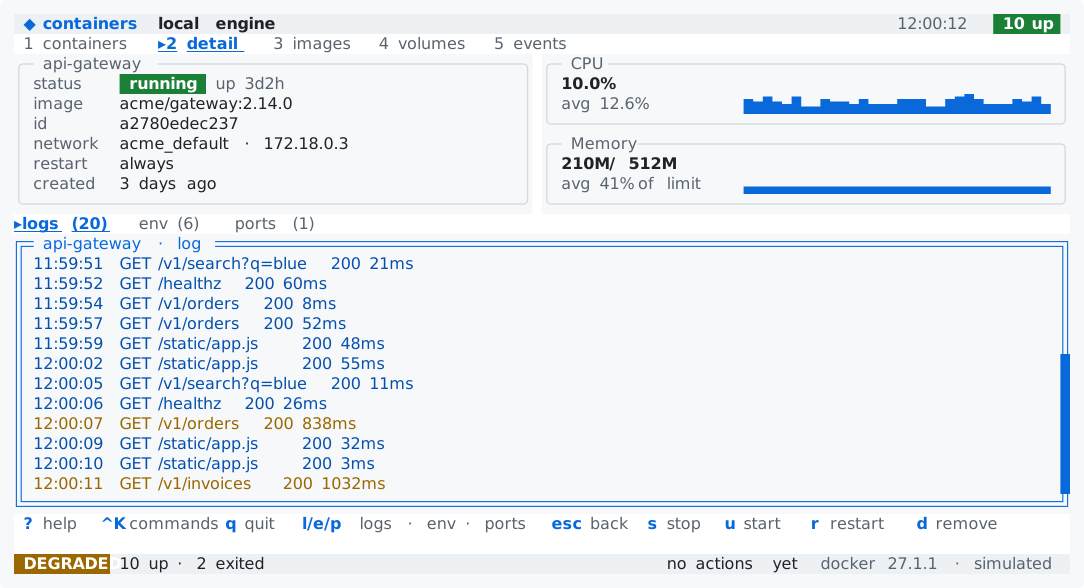
2: the overview card, the CPU and memory sparklines, and the log below them, which keeps following its end as lines arrive. 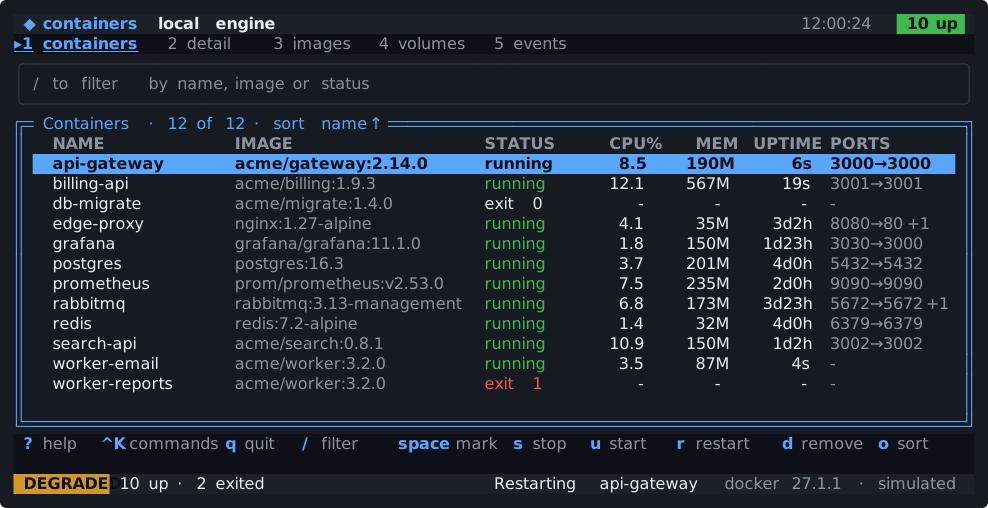
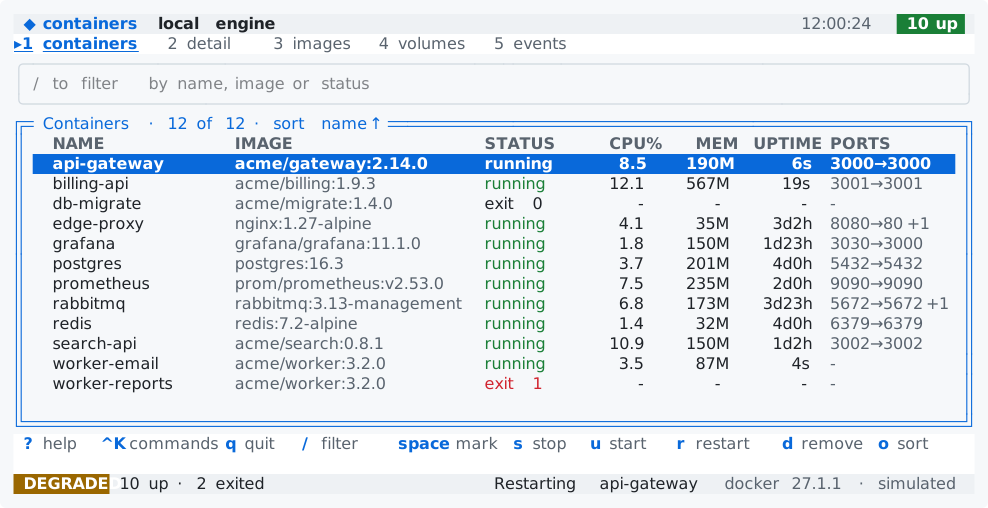
/, mark two rows and stop them through the confirm dialog, start them again, sort by CPU, open the detail and flip through its tabs, restart from the command palette, then watch a scripted crash and its restart in the events before the help opens. The kit's actions are generic (dialog_confirm, palette_run) and the host routes them by the prefix of the event's source. Every advances a seeded simulation once a second; Derive keeps the visible rows (the filter and the sort), the counts, the container under the cursor with its log, and the palette's matches, so typing in the filter updates every pane; no handler recomputes the views (one only keeps the cursor on a visible row).
go run ./examples/containers
go run ./examples/containers -theme light
tuimark run examples/containers/app.tui --data examples/containers/sample.json --mock examples/containers/mock.json
inbox
examples/inbox is a ticket inbox: a search input, a list bound to an array, and a detail pane that shows the selected ticket, in a version="1" document.
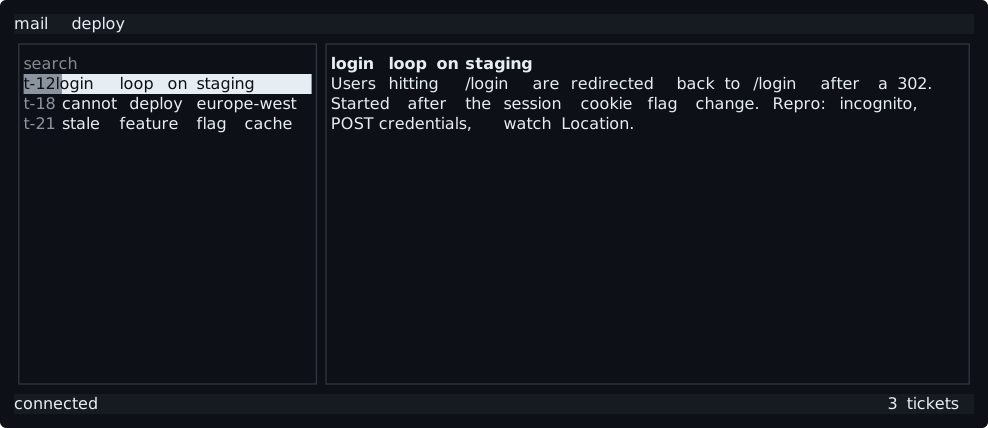
tab: focus moved from the search box to the list, whose cursor row is reversed. 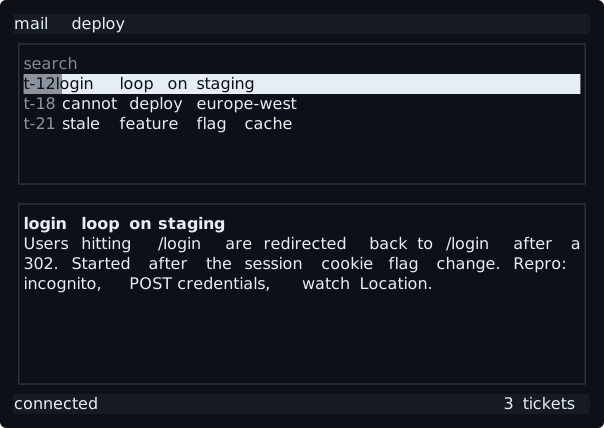
@media (max-cols: 80) block stacks the list above the detail pane. The host wires three actions: open shows the selected ticket, search filters the list, and quit stops.
dashboard
examples/dashboard is a deploy dashboard with two screens, a pipeline list, a progress bar, buttons, a scrolling log, and a confirm modal. Header and footer are docked.
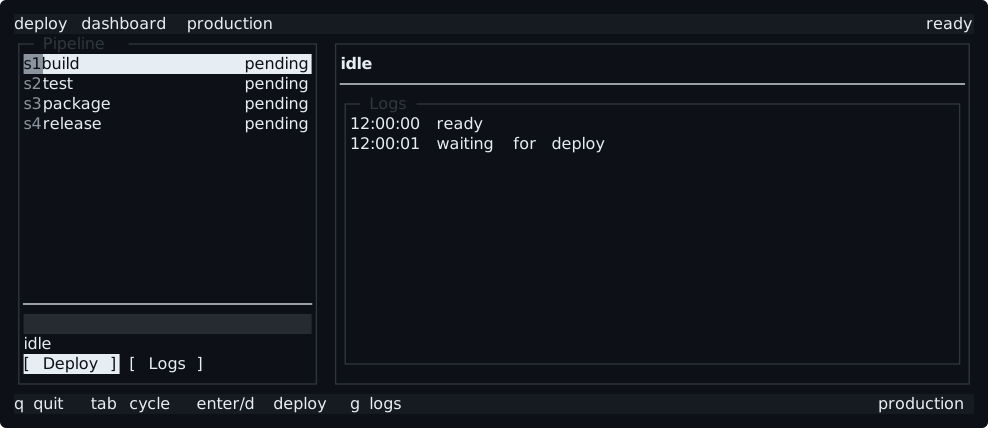
The Logs and Back buttons switch screens with Set("@screen", …); Deploy (or d on it) opens the confirmation. Once confirmed, the host runs a fake deploy in a goroutine that advances the steps and the progress bar with Set, which is safe from any goroutine.
agent
examples/agent is a small, real coding-agent chat: a transcript, a composer, tool activity and touched files, plan and build modes, and approval modals for edits and commands. It talks to a scripted provider or a local Ollama model, and has a headless mode.
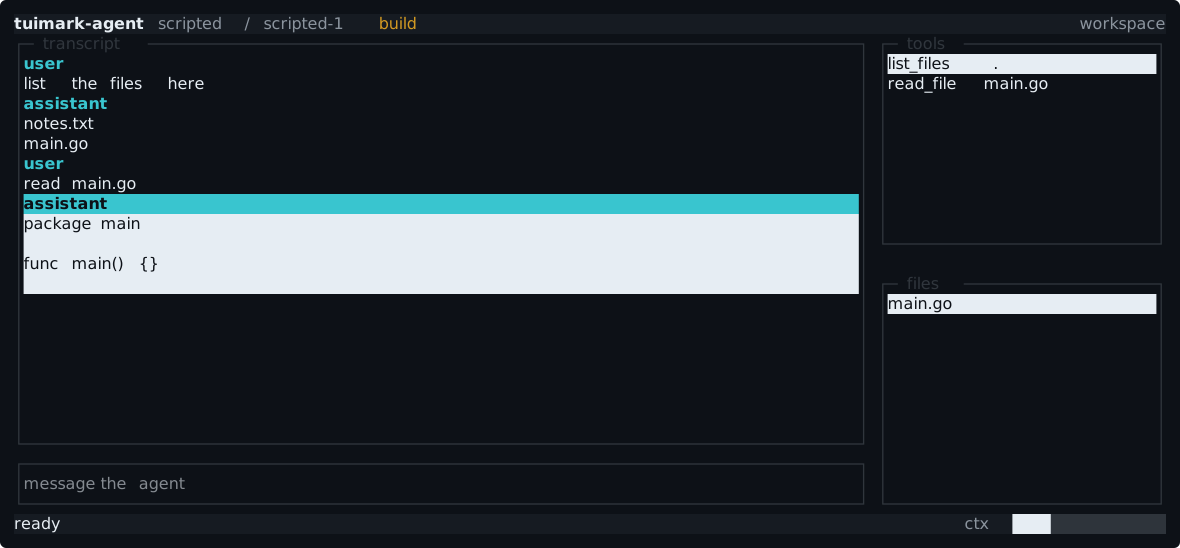
The whole view is agent.tui and agent.tcss; the Go code supplies data and named actions only. See its README for the providers, the workspace sandbox, and the flags.
go build -o bin/agent ./examples/agent
./bin/agent --demo-workspace ./demo-workspace
unicode
examples/unicode checks the hard part of terminal text: CJK characters two columns wide, emoji, and combining accents, in a list, in wrapped text, and next to borders.
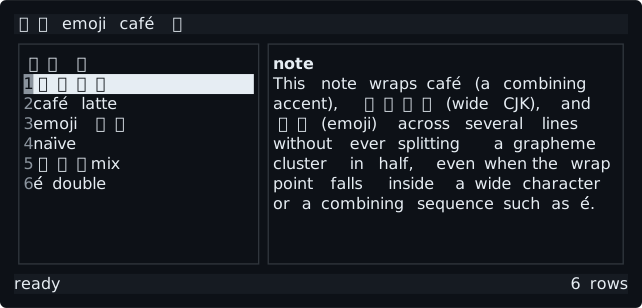
Widths are measured by grapheme cluster, a cluster is never split when text wraps or is cut, and borders stay aligned. Its dump has "wide": true, and --cells maps every column.
spike
examples/spike is where Tuimark started: five tags, two bordered boxes, and a status line, with no stylesheet. Its goldens are frozen, so a change to its geometry is a runtime regression, never an update.
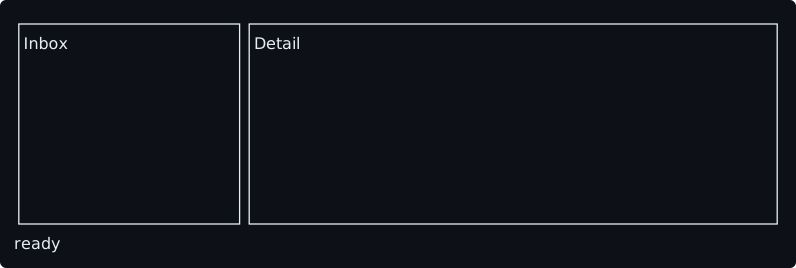
Write your own
Start from getting started, borrow freely from these files, and keep the widgets page open.
logs, tasks, gitui, http, snake, pipeline, music, pomodoro, and containers also ship a mock.json, so you can try their views in the terminal with no Go at all through tuimark run:
tuimark run examples/tasks/app.tui --data examples/tasks/sample.json --mock examples/tasks/mock.json